Migration of Legacy CAD Plugins to Modern Technologies
Many companies use software tools like AutoCAD, Inventor, or Revit. To do their daily work faster, they also use custom plugins built for these tools. Some of these plugins are old. They may have been built many years ago. They still run, so people assume they are fine.
But an old plugin can stop working at any time. A new update to the main software can break it. A security check can find old code inside it that is no longer safe. The person who built it may have left the company. After that, nobody knows how to fix it or update it.
This is why companies come to us for help. They want to move their old plugins to modern technology. This is called migration. Most of the time, more than one type of migration is needed.
Three Types of Migration:
When people say plugin migration, they usually think of one thing only, moving from an old version to a new one. In our work, we see three different types. Many old plugins need more than one type of migration at the same time.
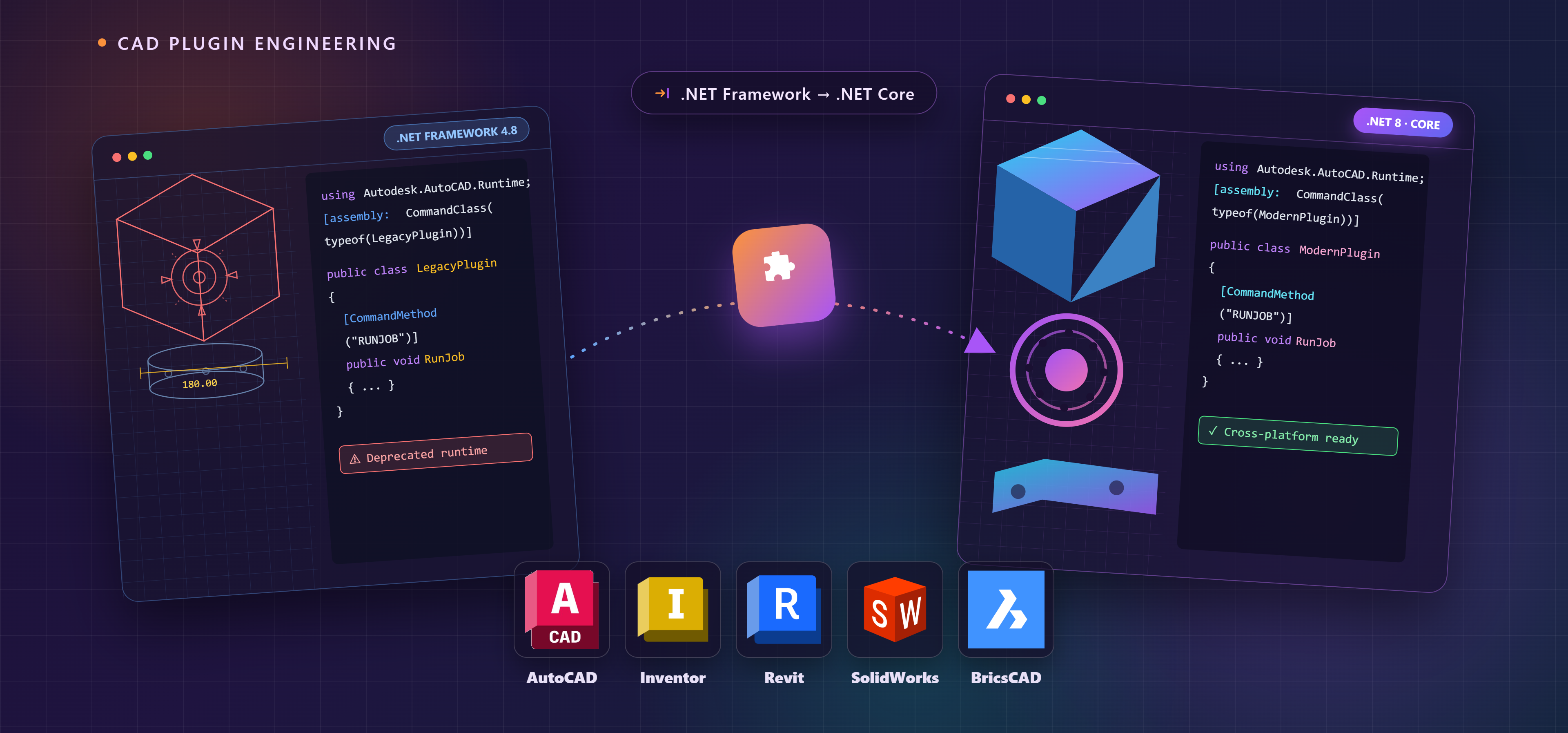
1) Framework migration: This means moving a plugin from an old software framework to a new one. For example, many tools used the .NET Framework in the past. Newer versions of these tools now use .NET Core, which is faster and more modern. A plugin built on the old framework needs real changes to work on the new one. This includes updating the code, checking the connections to the main software, and testing everything again.
2) Language migration: Some plugins were written a long time ago using simple scripts or macros. These scripts run inside the main software, but they are slow. They are also hard to manage and hard to improve. Moving this code to a modern programming language, such as C#, makes the plugin faster and easier to maintain in the future.
3) SDK migration: Some plugins are built using tools and libraries provided by the software company, known as an SDK. When the software company releases a new SDK, older plugins may stop working properly. This type of migration means rebuilding the plugin using the new SDK.
In all three cases, the pattern is the same. The main software changes over time. If the plugin does not change with it, the plugin will eventually stop working.
How We Do It?
We follow six simple steps for every migration project:
.
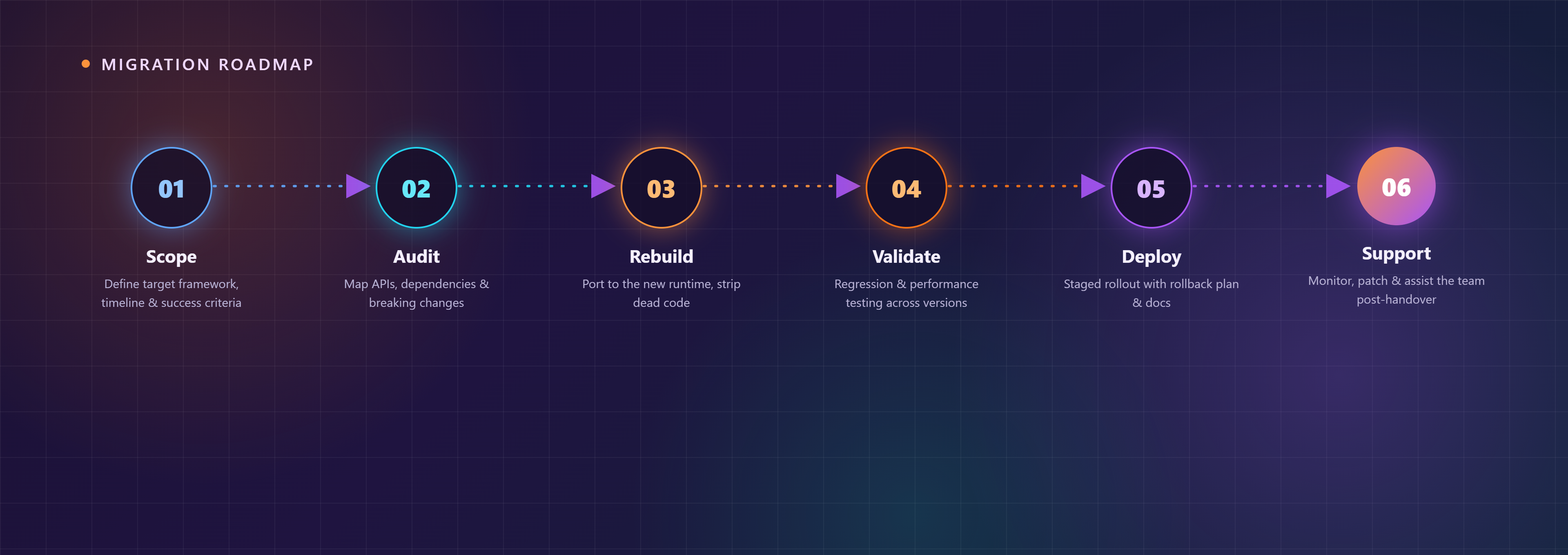
1) Scope: We first agree on the goal. This includes the target framework or language, the timeline, and how we will measure success.
2) Audit: We study the old plugin carefully. We check what it depends on, including old libraries, old function calls, and anything that will not work in the new environment. This step often shows risks the client did not know about.
3) Rebuild: We rewrite the plugin for the new framework, language, or SDK. We also remove old, unused code and clean up the parts that were never updated.
4) Validate: We test the plugin carefully. We check that it still works the way it used to, and that it performs well. We test it against the versions of the software that the client actually uses.
5) Deploy: We release the update in stages. We also prepare simple documentation, so the client’s team understands what has changed.
6) Support: We stay available after the handover. We monitor the plugin, fix any issues, and help the client’s team feel comfortable with the update.
We Handle All Kinds of Migrations:
The reason for migration can be different every time. It could be an old framework, an old scripting language, or an old SDK. But our process stays the same. We study the old plugin, rebuild it the right way, and test it before handover. We work with tools such as AutoCAD, Inventor, Revit, BricsCAD, and SolidWorks. No matter which tool or language your plugin is built on, we can help you migrate it.
Author: Prem Kumar
If you have an old plugin that needs this kind of update or need further assistance, please contact us at [email protected]
[We help companies update and maintain the custom plugins built for tools such as AutoCAD, Inventor, Revit, BricsCAD, and SolidWorks.]