Task automation and scripting
Repetitive drafting and modelling steps turned into one-click commands. Bulk operations across hundreds of files, including renaming, renumbering, property updates, purging, plotting, and printing.
We transform repetitive CAD tasks into automated workflows, so your engineering teams design faster and work smarter. Custom add-ins, automation tools and integrations built for AutoCAD, Inventor, Revit, SolidWorks, Siemens NX, Creo, BricsCAD and more.
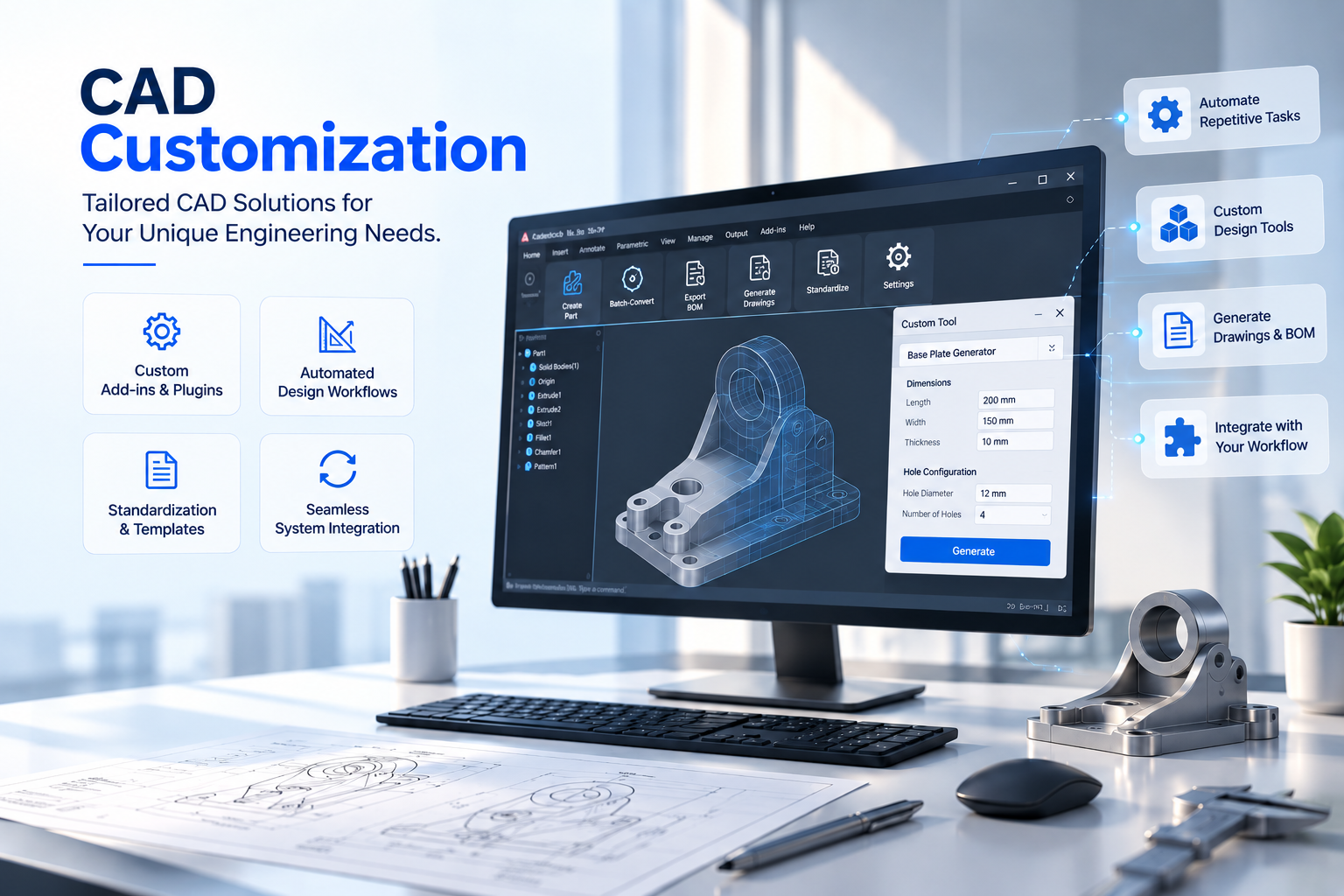
Commercial CAD software serves a wide range of industries and engineering needs. However, every business has its own standards, drawing requirements, and workflows, leaving engineers spending hours on repetitive tasks that could be automated.
CAD customization and automation bridge this gap. Using the APIs provided by major CAD platforms, we develop tailored solutions that align software with your engineering standards, drawing requirements, and business processes.
The result is less manual effort, fewer errors, and consistent engineering outputs, regardless of who performs the task.
In practice, a drawing task that takes 40 minutes can become a single-click operation. Manual drawing checks can be replaced with automated validation reports, while batch file conversion can process large volumes of engineering data in minutes instead of hours or overnight.
Years in Business
Technologies & Platforms
Happy Clients
Projects Delivered
Authorized Autodesk Service Partner with direct access to platform APIs and technical resources.
Founder-led engineering practice with deep domain expertise across CAD platforms.
In-house training programs that keep our developers updated on major CAD APIs and technologies.
Enterprise-grade delivery process with dedicated QA before solutions reach production.
From one click drafting utilities to enterprise CAD integrations, we build tools that remove repetitive work and embed your engineering standards directly into the CAD environment.
Repetitive drafting and modelling steps turned into one-click commands. Bulk operations across hundreds of files, including renaming, renumbering, property updates, purging, plotting, and printing.
Fully featured tools that live inside your CAD application, including custom ribbons, panels, dialogs, and commands, installed and deployed like any other part of your CAD environment.
Complete drawings, layouts, and 3D models generated from your inputs. This is the largest part of our work, including general arrangement drawings, product configurators, layout automation, and drawing update tools built for manufacturers who produce the same family of designs repeatedly.
Title block automation, layer and layer state standards, annotation and dimension styles, BOM formatting, and automated drawing checks that flag deviations before a drawing leaves the desk.
Extract metadata, properties, BOMs, mass properties, and model geometry from CAD files into Excel, PDF, a database, or your reporting tool of choice, including parameter extraction to feed a Digital Thread.
Batch conversion between native and neutral formats, including STEP, IGES, JT, DXF, DWG, 3D PDF, glTF/GLB, and STL, as well as translation between CAD platforms during migration.
Integrate your CAD environment with PLM, PDM, ERP, and enterprise systems to enable seamless data exchange, eliminate duplicate work, and streamline engineering workflows.
Modernize legacy VBA, AutoLISP, and CAD APIs to current, supported versions while preserving business logic and enabling seamless code migration across languages and CAD platforms.
Manage CAD software deployment, installers, licensing, and version compatibility, with ongoing maintenance and updates to support your engineering workflows.
The right customization removes repetitive work, improves consistency, and allows engineering teams to focus on design instead of manually operating the software.
Spirangle delivers CAD customization, automation, integration, migration, plugin development and API solutions across leading CAD platforms and their native development technologies.






All product names, logos and trademarks are the property of their respective owners and are used only to identify supported software platforms.