Dockable Property Editor
Access document properties through a dockable window within Autodesk Inventor, keeping important engineering information available alongside your design workspace.
View and edit iProperties and custom properties directly within Autodesk Inventor using a customizable, dockable Property Editor. Select the properties you want to display for part, assembly, and drawing documents to simplify engineering data management and improve productivity.
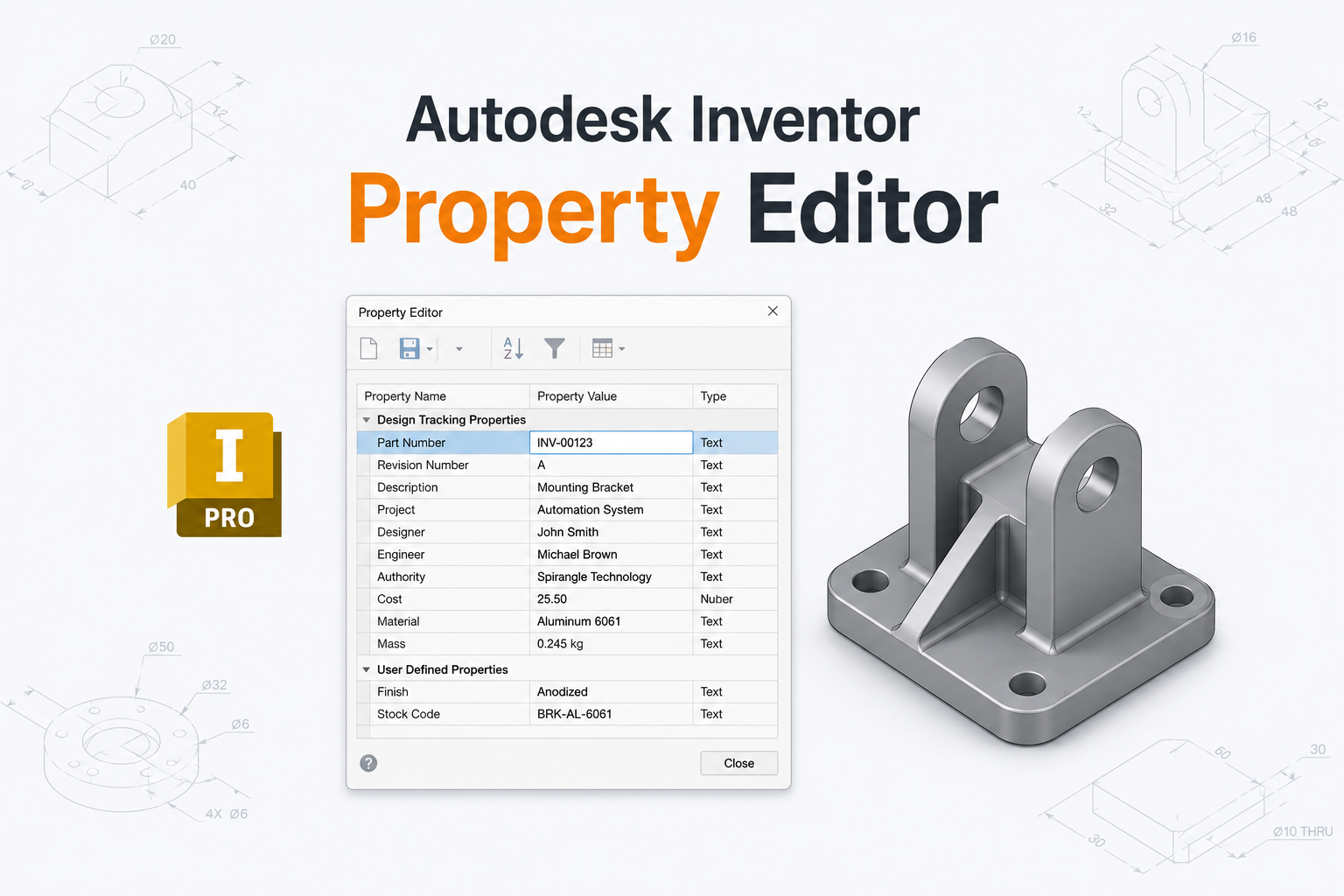
The Autodesk Inventor Property Editor Add-in simplifies engineering property management through a convenient, dockable window integrated into the Inventor workspace. Access document properties directly within your design environment without repeatedly navigating through separate property dialogs.
View and edit iProperties, mass properties, access custom properties, and create new custom properties when needed. The add-in also lets you customize the Property Editor window layout by selecting the properties you want to display, keeping important engineering information readily accessible.
Designed for part, assembly, and drawing documents, the Property Editor Add-in helps engineers organize relevant document information, simplify metadata updates, and maintain a more efficient engineering workflow.
See how the Property Editor Add-in lets you view and edit iProperties, manage custom properties, and customize the Property Editor layout by selecting the fields you want to display for part, assembly, and drawing documents.
View, edit, and organize Autodesk Inventor document properties through a customizable dockable interface tailored to your engineering workflow.
Access document properties through a dockable window within Autodesk Inventor, keeping important engineering information available alongside your design workspace.
Work with supported properties across Autodesk Inventor part, drawing, and assembly documents through a consistent Property Editor interface.
View and edit supported Autodesk Inventor iProperties directly within the Property Editor to simplify document metadata management.
View and edit existing custom properties and create new custom properties to store engineering-specific information associated with your documents.
Customize the Property Editor window by selecting the properties you want to display for part, drawing, and assembly documents, keeping frequently used information accessible and reducing unnecessary clutter.
Update supported property values directly through the Property Editor interface, reducing the need to repeatedly open separate property dialogs.
Access supported mass property information within the Property Editor when available, making relevant physical document data easier to review alongside other properties.
Reduce repetitive navigation and property management steps by bringing relevant document information and configurable property controls into one convenient interface.
Discover how the Property Editor Add-in simplifies Autodesk Inventor property management through a dockable interface, accessible iProperties and custom properties, and customizable layouts that display the information most relevant to your workflow.
Simplify engineering data management by bringing document properties into one dockable interface and displaying the information most relevant to each document type.
Spirangle delivers CAD customization, automation, integration, migration, plugin development and API solutions across leading CAD platforms and their native development technologies.










All product names, logos and trademarks are the property of their respective owners and are used only to identify supported software platforms.