Auto Polygon Generation
Convert closed plot boundaries into polygons on a dedicated layer.
Automate plot polygons, setbacks, numbering, area labels, hatching, tables and Excel reports across AutoCAD, ZWCAD, BricsCAD and GstarCAD. Cut repetitive drafting and keep every layout consistent.
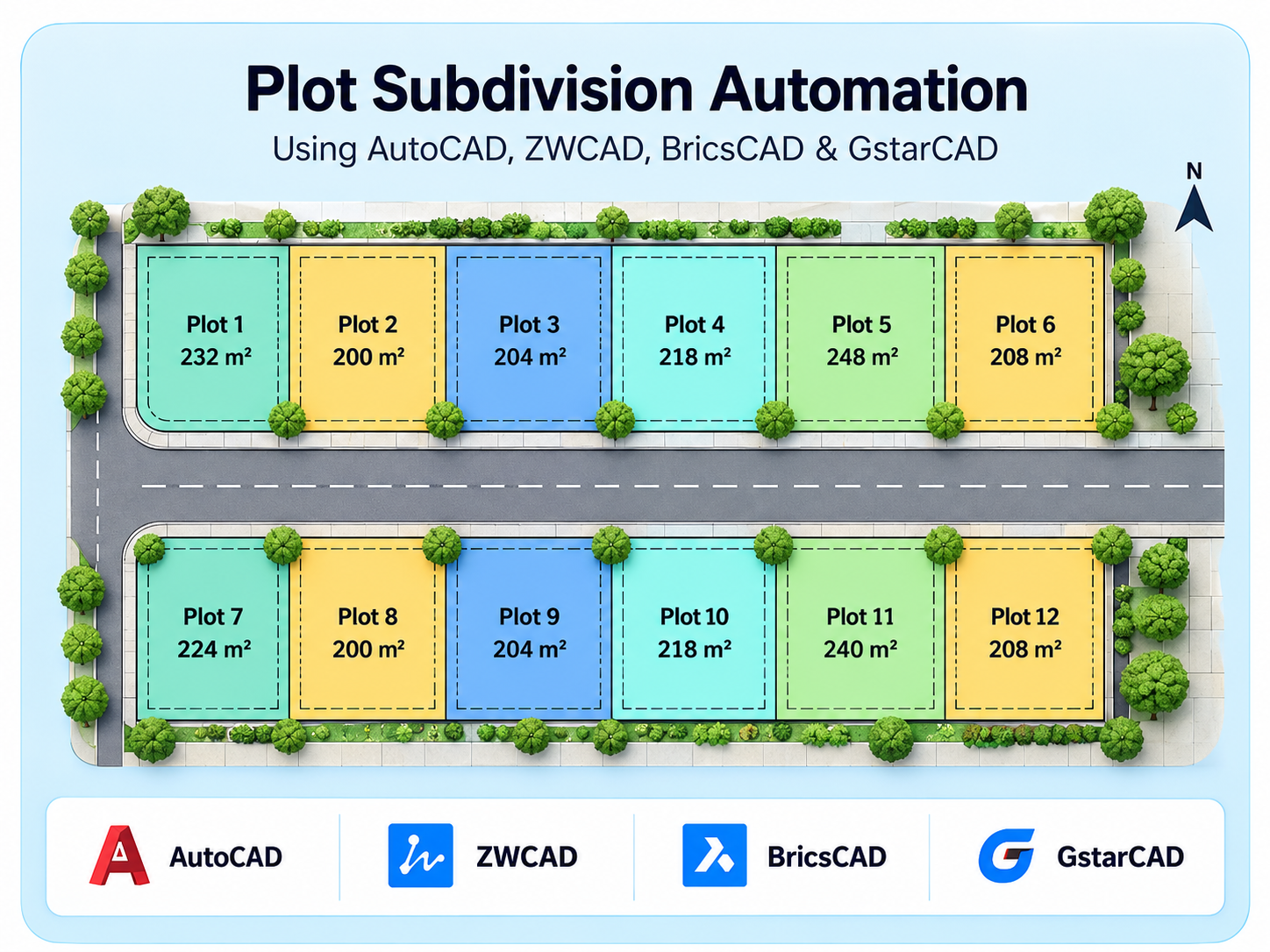
Plot Subdivision Automation is a CAD productivity tool that replaces repetitive manual drafting with one guided workflow. From plot boundary lines it generates polygons, applies front, side and back setbacks based on road position, and labels every plot with its number and area.
It then colour-codes plots by area range, builds plot, range and abstract tables inside the drawing, and exports them to Excel. A searchable symbol library places chambers, arrows and custom blocks along any alignment.
The tool supports AutoCAD, ZWCAD, BricsCAD and GstarCAD, so planners, surveyors and drafting teams get faster, more accurate and consistent results on every layout.
See how Plot Subdivision Automation generates plot polygons, applies road-based setbacks, labels plot numbers and areas, and creates tables and Excel reports.
Reduce repetitive drafting and calculation work with automated subdivision workflows.
Convert closed plot boundaries into polygons on a dedicated layer.
Detect front, side and back edges and apply the right offset to each.
Place unique, non-overlapping labels with custom prefix and units.
Colour-code plots by area range to show size differences at a glance.
Build plot, range and range-abstract tables inside the drawing.
Export all tables to a spreadsheet named after the drawing.
Insert chambers, arrows and custom blocks with search and auto-labelling.
Place symbols at set distances along any polyline, aligned to its direction.
Explore how Plot Subdivision Automation transforms plot boundaries into organized subdivision layouts with automatic polygon generation, road-based setbacks, plot numbering, area labels, range-based hatching, and Excel-ready tables.
Automate repetitive drafting and calculation tasks while keeping layers, labels and reports consistent across every project.
Spirangle delivers CAD customization, automation, integration, migration, plugin development and API solutions across leading CAD platforms and their native development technologies.








All product names, logos and trademarks are the property of their respective owners and are used only to identify supported software platforms.