Surface Area Based Calculation
Calculate painting costs using the surface area of engineering components to provide a more structured basis for paint cost estimation.
Calculate painting costs directly from engineering designs using surface area, part quantity, and selected parts. Generate clear cost breakdowns and export calculations to Excel for easier budgeting and resource planning.
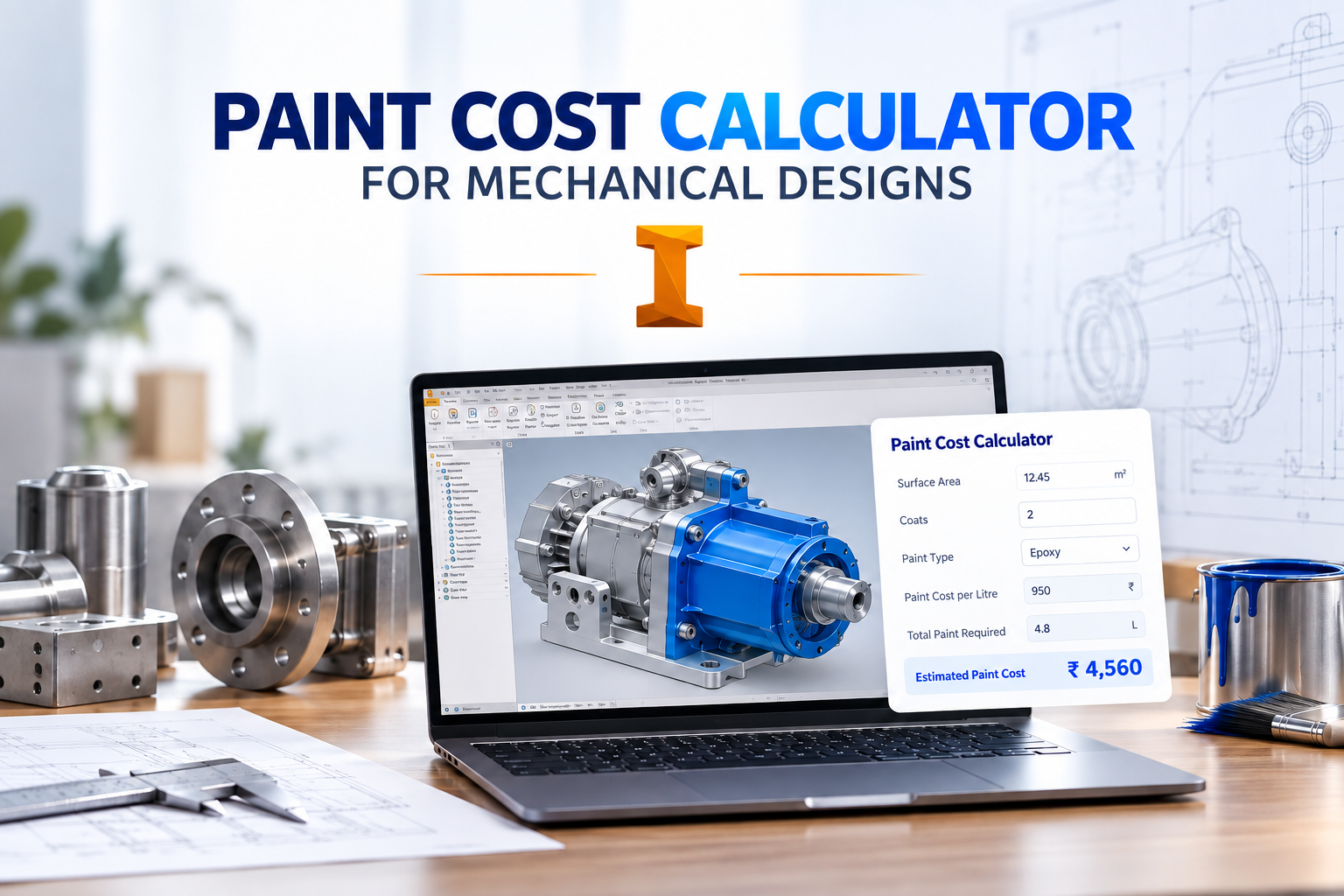
The Autodesk Inventor Paint Cost Calculator Add-in is an easy-to-use engineering tool that calculates painting costs based on surface area, part quantity, and selected parts. It simplifies the process of determining painting costs directly from engineering designs.
The add-in provides clear cost breakdowns that help engineering and project teams understand painting expenses and make informed decisions during project planning and budgeting.
Calculated results can be exported to Excel, making it easier to share cost information, maintain project records, support budgeting activities, and manage resources efficiently.
See how the Paint Cost Calculator estimates painting costs using engineering data such as surface area and part quantities, then prepares the results for easy export to Excel.
Simplify painting cost estimation by calculating costs from engineering design information and providing structured results for budgeting and resource planning.
Calculate painting costs using the surface area of engineering components to provide a more structured basis for paint cost estimation.
Include part quantities in cost calculations to account for the number of components requiring painting within a project.
Calculate painting costs for selected parts so users can focus estimates on specific components or groups within the engineering design.
Generate painting cost estimates directly from engineering design information to simplify the overall costing workflow.
Present calculated painting costs in a structured format so engineering and project teams can clearly understand the estimated expenses.
Use engineering model information as the basis for painting cost estimation, reducing the need for separate manual measurement and calculation processes.
Export calculated cost information to Excel for reporting, budgeting, project records, sharing, and further analysis.
Provide a straightforward interface that makes paint cost estimation accessible without requiring complex manual calculation workflows.
Explore the paint estimation workflow, from entering project dimensions and coverage details to calculating paint requirements and estimated project costs.
Replace repetitive painting cost calculations with a streamlined workflow that provides structured cost information directly from engineering design data.
Spirangle delivers CAD customization, automation, integration, migration, plugin development and API solutions across leading CAD platforms and their native development technologies.








All product names, logos and trademarks are the property of their respective owners and are used only to identify supported software platforms.