Assembly Environment Integration
Access visibility controls directly within the Autodesk Inventor Assembly environment, where engineers create and manage assembly constraints.
Improve Autodesk Inventor assembly workflows by instantly showing or hiding work planes and axes during the Constrain command, helping engineers work faster with a cleaner and more organized workspace.
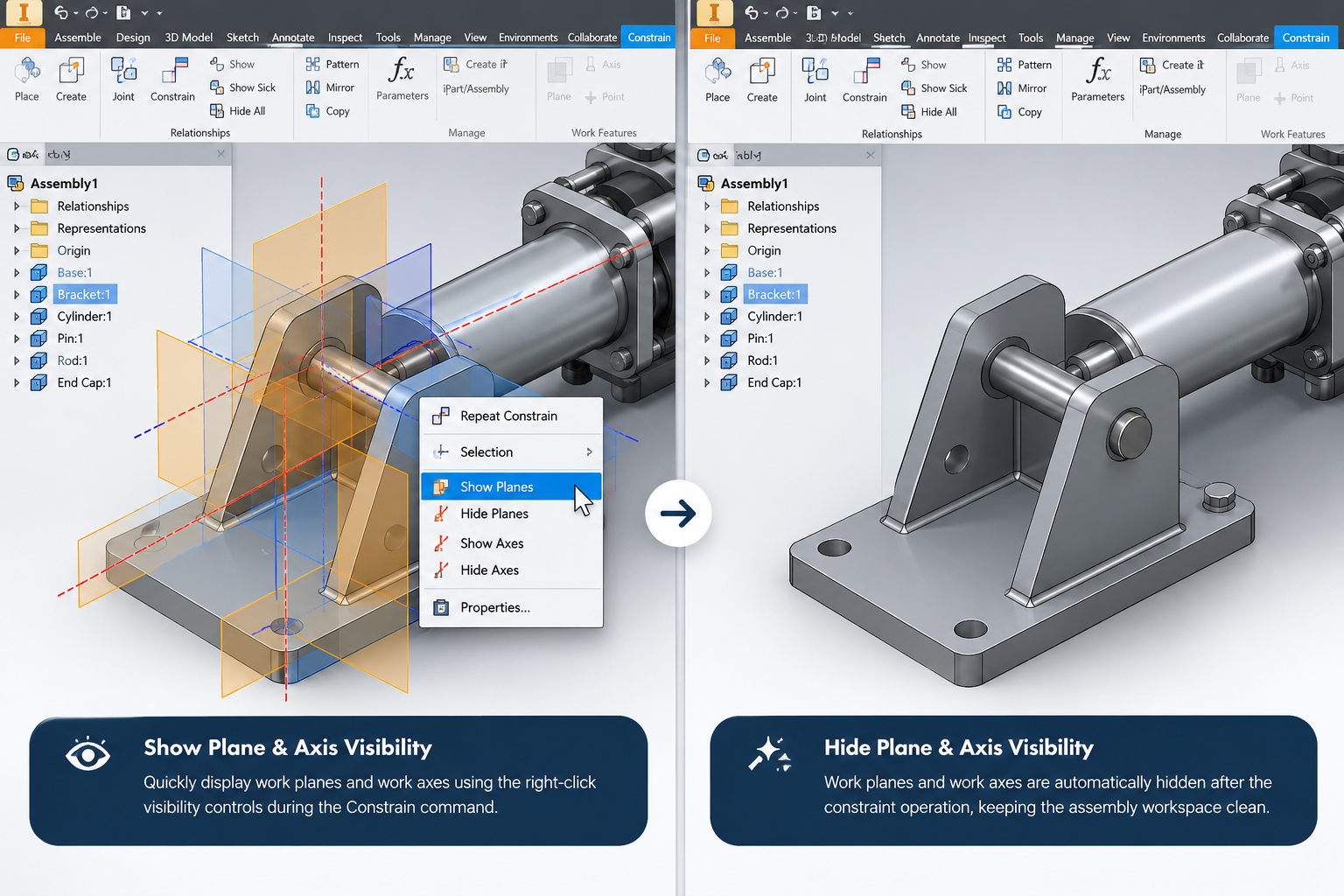
The Constrain Plane Toggle add-in enhances your workflow in Autodesk Inventor’s Assembly environment by providing quick controls to show or hide work planes and axes during the Constrain command.
Simply hover over a component, right-click, and choose options such as Show Planes or Show Axes to make the required reference geometry visible. After completing the constraint operation, you can easily hide them again or allow the add-in to automatically hide all planes and axes when the command is finished.
The add-in helps keep the Autodesk Inventor workspace organized and focused while making work plane and work axis visibility easier to manage during assembly constraint operations.
See how the Constrain Plane Toggle Add-in makes work planes and axes easier to manage during Autodesk Inventor assembly constraint workflows.
Simplify assembly constraint operations with quick reference geometry visibility controls and automatic workspace cleanup in Autodesk Inventor.
Access visibility controls directly within the Autodesk Inventor Assembly environment, where engineers create and manage assembly constraints.
Manage work plane and work axis visibility while the Constrain command is active, making reference geometry easier to access during assembly design.
Right-click a component to quickly access work plane and work axis visibility options without navigating through multiple interface levels.
Quickly show or hide work planes and work axes associated with components whenever reference geometry is needed for assembly constraints.
Automatically hide work planes and work axes after the constraint operation is completed, helping maintain a clean assembly workspace.
Identify the relevant component through hover-based interaction to access visibility controls more efficiently during constraint creation.
Minimize repetitive visibility toggling and browser navigation, allowing engineers to focus on creating and managing assembly constraints.
Integrate intuitive visibility controls into existing Autodesk Inventor assembly workflows with minimal learning effort and no need to change standard constraint practices.
Explore how the Constrain Plane Toggle Add-in makes work planes and axes easier to manage during Autodesk Inventor assembly constraint operations, from quick visibility controls to automatic workspace cleanup.
Eliminate repetitive visibility operations by automatically managing work planes and work axes throughout the assembly constraint process.
Spirangle delivers CAD customization, automation, integration, migration, plugin development and API solutions across leading CAD platforms and their native development technologies.










All product names, logos and trademarks are the property of their respective owners and are used only to identify supported software platforms.